The reason for creating GSCanvas is to enhance what you can do with a versatile and well-established tool: GoldSim.
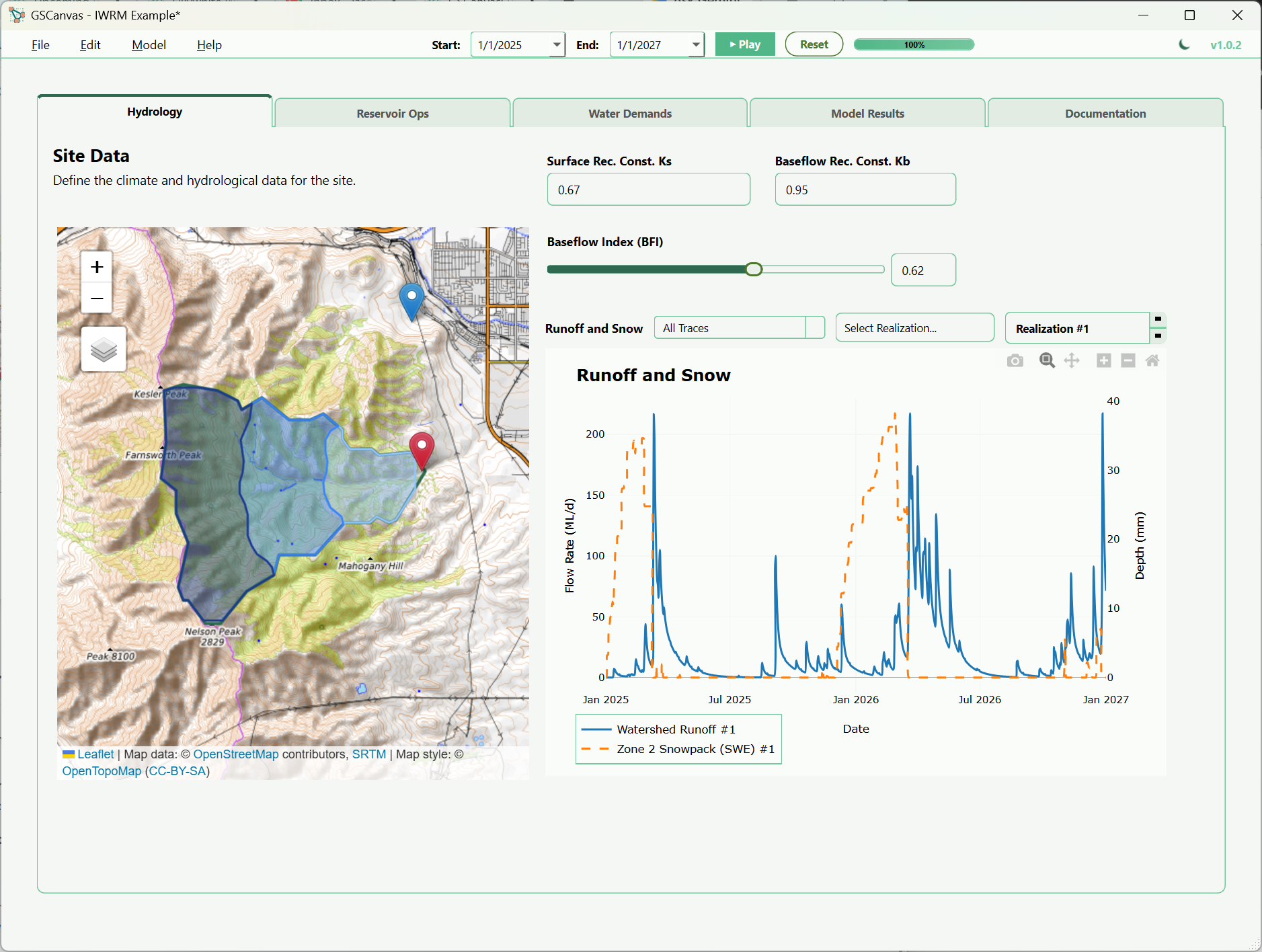
GSCanvas is a thin client app that facilitates integrations with GoldSim and other tools using a graphical interface with a presentation layer. Currently, this tool has the basics: interfacing with GoldSim inputs and time history results with some add-ons—configurable navigation tabs, color themes, end-user chart output selections, and a live GIS-based watershed delineation tool that can aid in visualizing and mapping the watershed that provides the inputs for GoldSim to compute snowmelt and rainfall runoff.
Our plan is to add more interactions with other tools, and we are actively taking suggestions during this beta period.
Reservoir Simulation Dashboard & GoldSim Model Integration
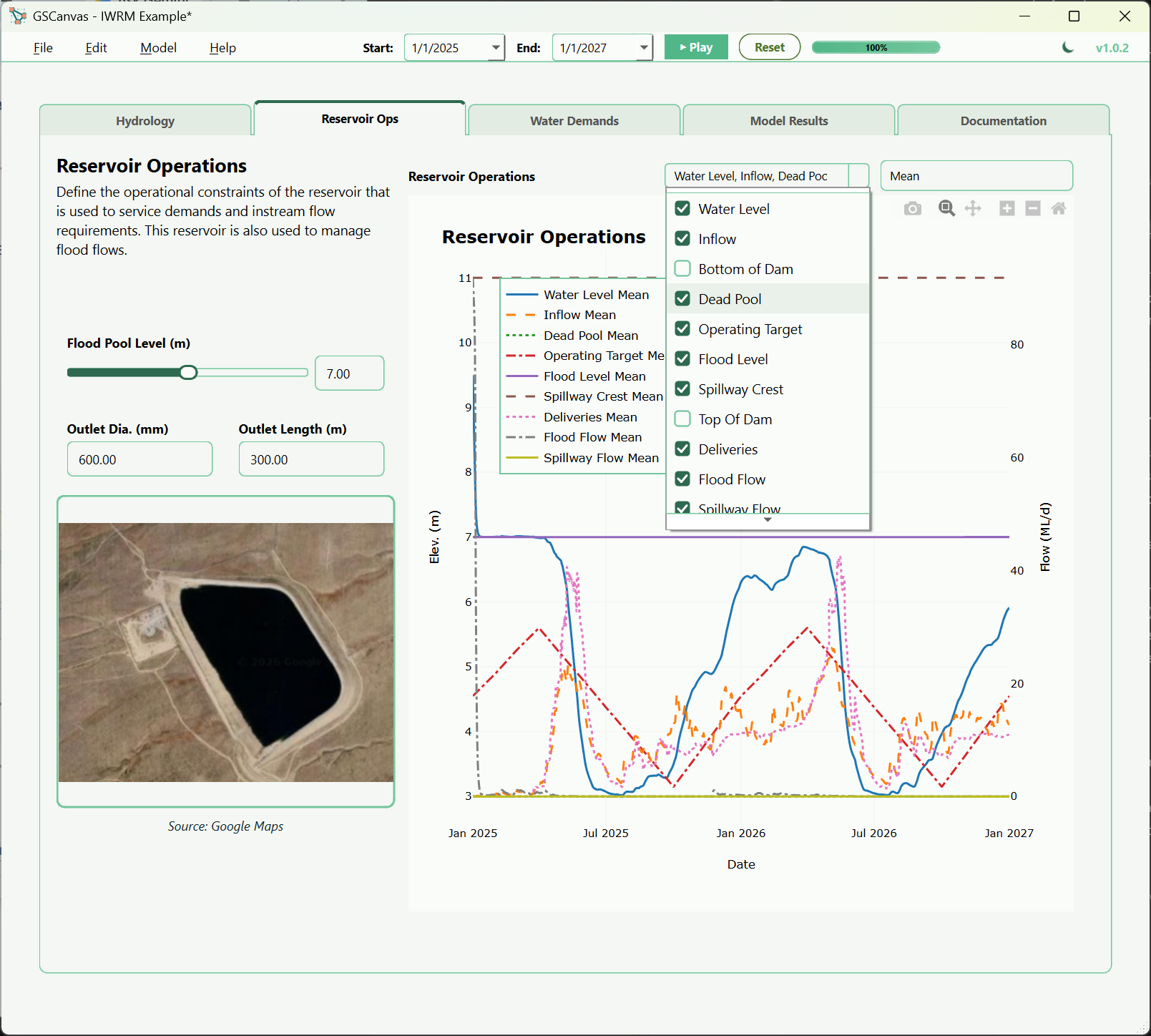
Current Version 1.0.0 Features
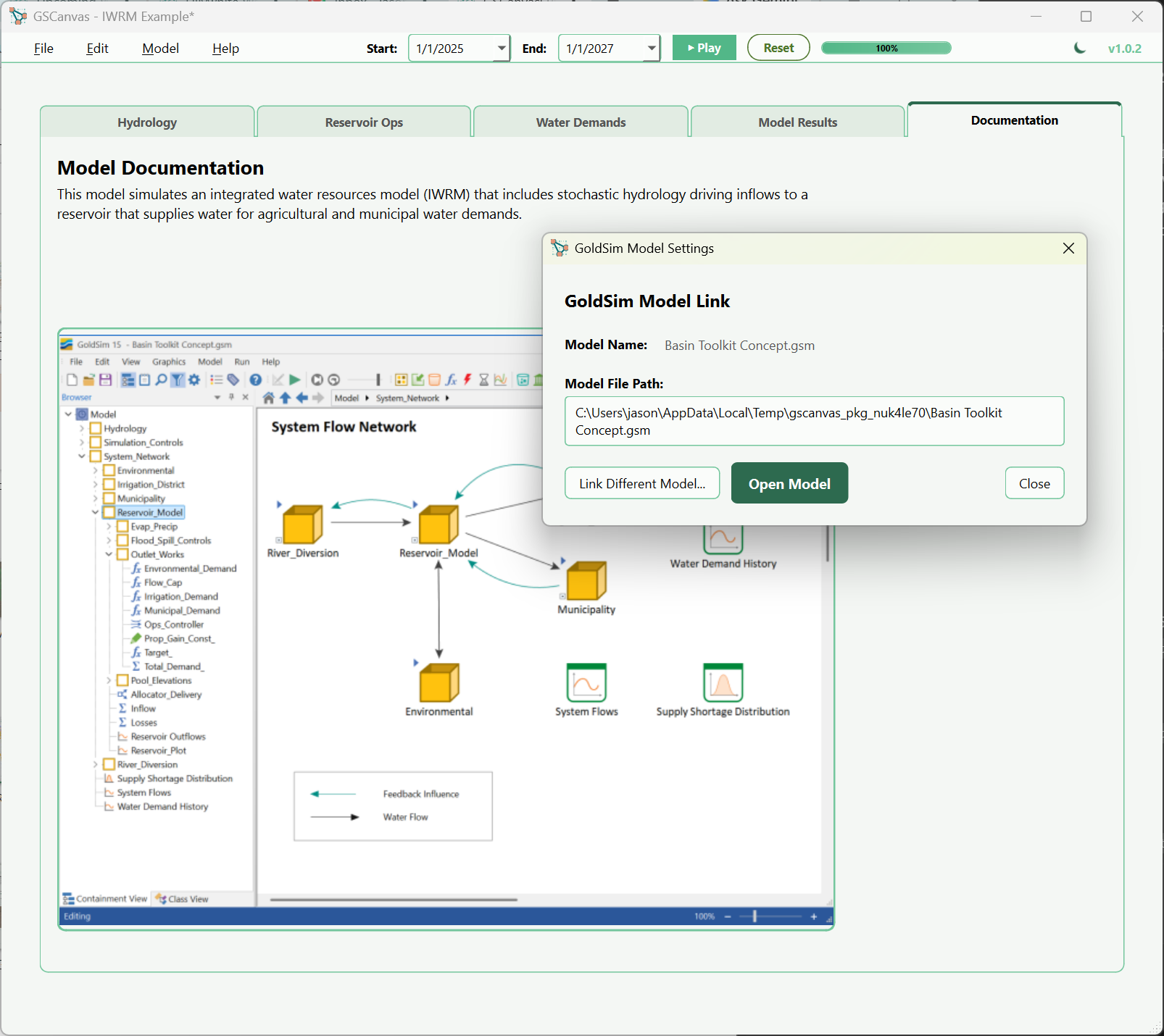
GoldSim Model Interfacing
Connect directly with your GoldSim model or GoldSim Player file. Easily interface with GoldSim inputs and display time history results from your simulation runs.
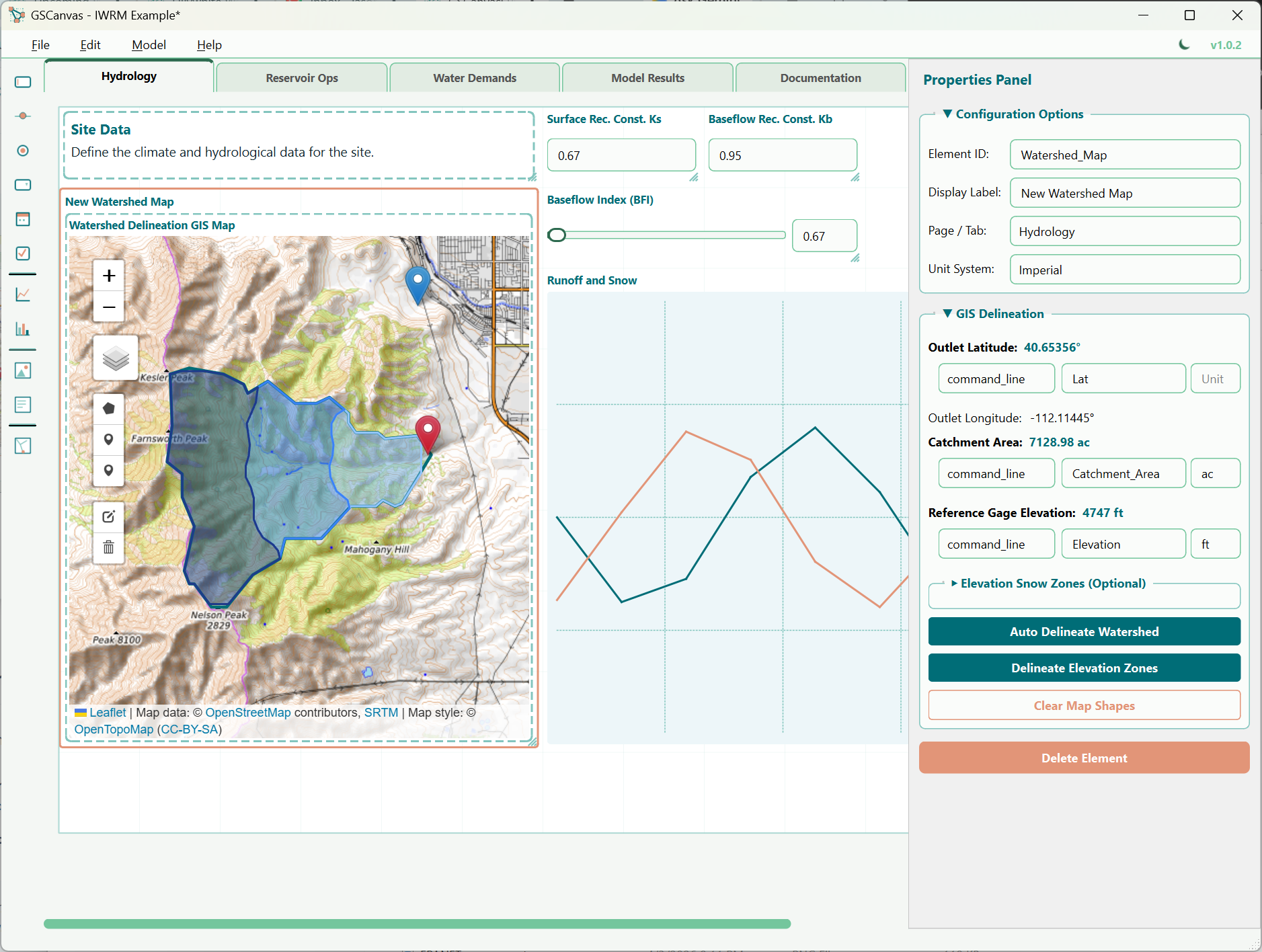
GIS Watershed Delineation
Interface with an offline geospatial map to delineate catchments. This add-on assists in visualizing and mapping the watershed boundary to help calculate runoff inputs for your model.
Design View vs. Runner View in GSCanvas
Development Roadmap
We are actively planning updates to extend what GSCanvas can connect with. On the current roadmap:
-
▹
Pond & Reservoir Geometry: Integration of specialized geometry functions to help configure pond storage elements and calculations directly.
-
▹
Advanced Post-Processing: Extended time series analysis and statistical post-processing of GoldSim time history results.
My plan is to add more interactions with other tools and I am happy to take suggestions during this beta period. If you have ideas or specific use cases, please let me know.
Get Started with GSCanvas
Download the v1.0.0 installer and get your 1-month trial license key to get started.